What goes wrong, and what actually fixes it
| Symptom | Cause | Fix |
|---|---|---|
| Speaker doesn't appear in the device list | It's auto-reconnected to a previous device | Turn Bluetooth off on the old device, then hold the pairing button until the LED flashes fast |
| Connects, then drops after a few seconds | Low battery, or two phones fighting over it | Charge it; disable Bluetooth on the second device |
| Connected but no sound | Audio output still routed to the phone | Change output in the playback control panel |
| Audio stutters across the room | Range or obstruction — walls and bodies eat 2.4GHz | Move within stated range, line of sight; microwaves and crowded Wi-Fi make this worse |
| Second speaker won't join for stereo | Mismatched models, or TWS not supported | Both units must be the same model and support TWS |
| Video is out of sync with the speaker | Bluetooth latency — normal, not a defect | Use the AUX input if the speaker has one, or use your TV's audio delay setting |
| Speaker pairs to laptop instead of phone | Multipoint / last-device memory | "Forget" the speaker on the device you don't want, then re-pair |
| Nothing works, LED behaves oddly | Corrupt pairing table | Factory reset the speaker (usually holding play + volume-down, check the manual), then re-pair everything |
Quick answer: To pair a Bluetooth speaker, put it in pairing mode (usually hold the Bluetooth button until the light flashes fast, not slow), then open Bluetooth settings on your phone and tap the speaker's name. To pair two speakers together for stereo, both units must support TWS (True Wireless Stereo) and — with almost no exceptions — must be the same model from the same brand.
That second sentence is where most people get stuck, so we'll spend most of this guide there.
The pairing sequence, step by step
1. Charge both the speaker and the phone. Low battery is the single most common cause of "it connects and then drops." Speakers running near empty will often refuse pairing mode entirely or reconnect in a loop.
Finding the right how to pair bluetooth speakers comes down to matching the features to how you will actually use it.
Gotcha: some speakers won't enter pairing mode while plugged into a charger. If nothing happens, unplug it.
2. Turn the speaker on and listen for the tone. A powered-on speaker that has a previously saved device will usually try to reconnect to that device automatically. If your speaker keeps grabbing your laptop instead of your phone, this is why.
3. Force pairing mode. Power-on is not pairing mode. On most speakers you hold the Bluetooth button (or the power button, on models without a dedicated one) for 3–5 seconds until the LED changes from a slow pulse to a fast flash, often accompanied by a voice prompt or a two-tone chirp.
Gotcha: fast flash = discoverable. Slow flash or solid = already connected to something. If you can't get a fast flash, the speaker thinks it's connected — turn off Bluetooth on whatever device it last used.
4. Open Bluetooth settings on your phone, tablet or TV. Toggle Bluetooth off and back on before you scan. This clears a stale cache that causes phones to show a speaker as "unavailable" for no visible reason.
5. Tap the speaker's name in the available devices list. Don't tap it twice. Give it a solid ten seconds — a lot of failed pairings are people impatiently tapping and cancelling the handshake mid-negotiation.
Gotcha: the name shown may not match the box. Speakers frequently broadcast a model code rather than a marketing name. If you see two similar entries, one may be the classic Bluetooth profile and one BLE — pick the one that pairs and plays audio.
6. Confirm audio is actually routing there. Play something. If the phone shows "connected" but sound still comes out of the phone, go into your phone's playback output picker (Control Centre on iOS, the output chip in the notification shade on Android) and select the speaker manually.
Pairing two speakers into a stereo pair
This is a separate process and it happens between the speakers, not on the phone.
- Turn on both speakers. Do not connect either to your phone yet.
- Press the TWS/pairing button on one unit (often a double-press of the Bluetooth button, or a dedicated button). The two speakers will find each other — you'll usually hear a confirmation tone on both.
- Now connect your phone to the primary speaker only. The second speaker will appear to have disappeared from your phone's list. That's correct behaviour, not a fault.
- Play a track with obvious stereo separation to check left/right assignment.
The "forget device" step is underrated. If a speaker has been paired to eight devices over three years, its memory is full and it will start silently refusing new pairings. A reset costs you five minutes and fixes an astonishing number of "broken" speakers.
Spec and compatibility comparison
| Product | Price | Bluetooth | Stated range | Playtime | Water rating | Stereo pairing |
|---|---|---|---|---|---|---|
| 2 in 1 Magnetic Dual Splittable Bluetooth Speaker (CYBORIS) | Check price on Amazon | V5.3 | Over 18 meters | Up to 24 hrs | IPX6 | Splits into left/right; TWS interconnect |
| Ortizan Portable Bluetooth Speaker (1st Gen) | Check price on Amazon | 5.3 | 66 unobstructed feet | Up to 30 hrs | IPX7 | Dual Pairing with a second unit |
| CYBORIS 2 in 1 Portable Splittable Bluetooth Speaker | Check price on Amazon | V5.3 | Over 18 meters | Up to 24 hrs | IPX6 | Splits into left/right; TWS interconnect |
| OontZ Solo Portable Bluetooth Speaker – 2 Pack | Check price on Amazon | Not stated | Up to 100 feet | Up to 14 hrs | Splash/rain/dust proof, not submersible | Dual speaker pairing (2-pack included) |
| Air Audio The Worlds First Pull-Apart Wireless Bluetooth Speaker | Check price on Amazon | Not stated | Not stated | Not stated | IPX4 | Auto-pairs on pull-apart, up to five speakers |
| Anker soundcore 2 Portable Bluetooth Speaker | Check price on Amazon | Not stated | Not stated | Up to 24 hrs | IPX7 | Not stated |
Check current listings and owner reviews yourself before buying — specs on marketplace listings change between revisions, and the review section is where you'll find out whether a given batch pairs reliably.
When the fix is a new one
Sometimes the speaker you own simply won't do what you're asking. If you're trying to get true stereo and your current unit doesn't support TWS, no amount of resetting will conjure it.
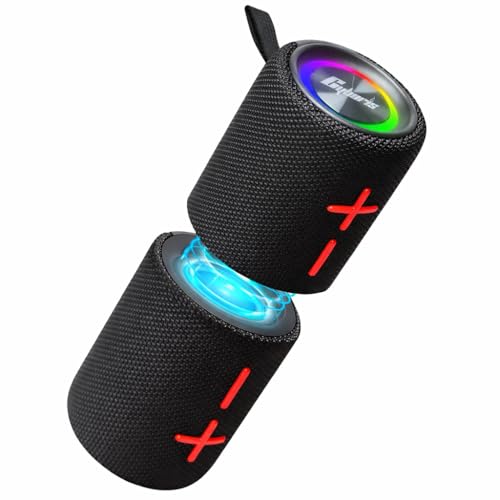
2 in 1 Magnetic Dual Splittable Bluetooth Speaker, IPX6 Waterproof Split Portable Wireless Speaker with 20W Loud Stereo Sound, Bluetooth V5.3, 24H Playtime, Multiple pairing for Home,Outdoor or Travel — removes the model-matching problem entirely
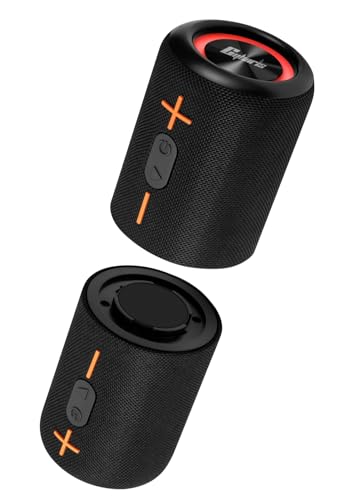
Because the 2 in 1 Magnetic Dual Splittable Bluetooth Speaker, IPX6 Waterproof Split Portable Wireless Speaker with 20W Loud Stereo Sound, Bluetooth V5.3, 24H Playtime, Multiple pairing for Home,Outdoor or Travel ships as two halves of one unit, the two drivers are guaranteed compatible — pull them apart for left/right stereo, push them together for 360-degree sound. The magnets stick to metal surfaces like fridges, tents and vehicles, and the 4000mAh total battery is rated for 24 hours.
CYBORIS 2 in 1 Portable Splittable Bluetooth Speaker, Waterproof Split Wireless Speaker Bluetooth V5.3 with 20W Loud Stereo Sound, 24H Playtime, True Wireless Pairing for Home, Outdoor or Travel — a wired fallback when Bluetooth latency bites
If video sync is your problem, the CYBORIS 2 in 1 Portable Splittable Bluetooth Speaker supports AUX wired input and TF card playback alongside Bluetooth V5.3, so you can sidestep wireless latency completely when it matters. It's IPX6 rated with 20W across the dual speakers.
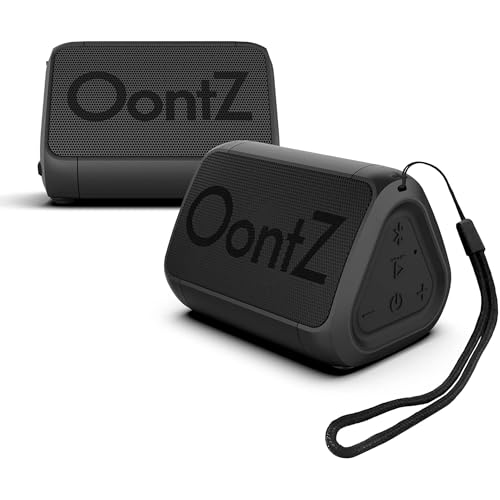
OontZ Solo Portable Bluetooth Speaker – 2 Pack, Ultra Portable, 14 Hours of Playtime, 100ft Wireless Range, Waterproof, Budget-Friendly Speaker for Travel, Outdoor or Home, Great Gift (Black) — two matched units in one box
The mismatched-model trap disappears when the pair arrives together. The OontZ Solo Portable Bluetooth Speaker – 2 Pack is designed for dual speaker pairing out of the box, with a stated 100-foot range and an AUX-in jack for non-Bluetooth sources. Each unit is under 8 ounces and rated for 14 hours at two-thirds volume.
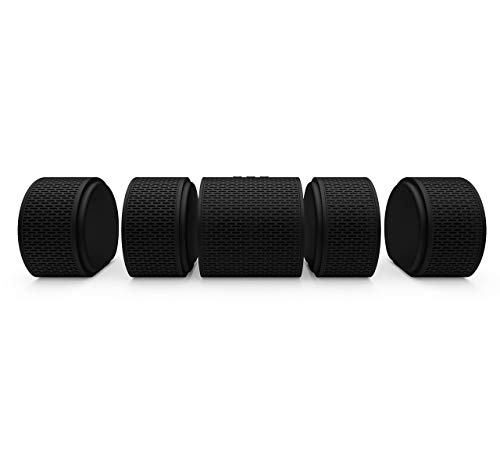
Air Audio The Worlds First Pull-Apart Wireless Bluetooth Speaker Portable Surround Sound and Multi-Room Use, Black — multi-room without an app
If you're pairing across rooms rather than across a table, Air Audio's pull-apart wireless Bluetooth speaker handles up to five speakers and syncs them by magnet — join or separate the units and they pair automatically, with no software layer to fight. It's 24 watts as a single unit and IPX4.
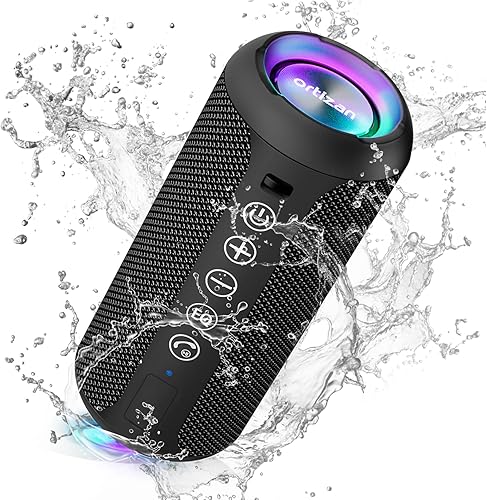
Ortizan Portable Bluetooth Speaker (1st Gen), IPX7 Waterproof, Wireless, Big Sound and Deep Bass, TWS Pairing, 30Hrs of Playtime, for Home/Party/Outdoor/Beach, Birthday Gifts for Men Women - Black — longest stated runtime here
Battery drain causes dropouts, so runtime is a pairing-stability feature. The Ortizan Portable Bluetooth Speaker (1st Gen) states 30 hours of continuous playtime, Bluetooth 5.3 at 66 unobstructed feet, IPX7 submersion to 3ft, and Dual Pairing if you buy two.
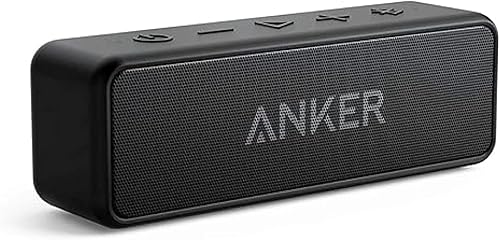
Anker soundcore 2 Portable Bluetooth Speaker, Stereo Sound, IPX7 — a simple single-speaker reset
When you just want one speaker that pairs and stays paired, the Anker soundcore 2 keeps the controls minimal, runs 24 hours on a 5,200mAh battery, and carries IPX7 protection with 12W from dual neodymium drivers.
FAQ
Can I pair two different brands of Bluetooth speaker together? Almost never. TWS stereo pairing uses proprietary handshakes, so a CYBORIS won't stereo pair with an Anker. Split-design speakers avoid the issue because both halves ship together.
Why does my speaker connect but play no sound? Your phone is still routing audio elsewhere. Open the playback output picker and select the speaker by name. If it's still silent, the speaker may be sitting on a different input mode — cycle through Bluetooth, AUX and TF card if it has them.
How do I unpair a Bluetooth speaker? "Forget device" on the phone, then hold the speaker's pairing button to clear its side too. Doing only one half is why speakers keep reappearing and reconnecting.
How many devices can one speaker remember? Typically eight, and older entries silently push out new ones. If a speaker suddenly stops accepting new phones, factory reset it and start clean.
Related guides
- Why Rates Vary for Best home audio and home theater - bluetooth speakers, soundbars, AV receivers, turntables and record players
- How to Succeed with Best home audio and home theater - bluetooth speakers, soundbars, AV receivers, turntables and record players
- Current Rates for Best home audio and home theater - bluetooth speakers, soundbars, AV receivers, turntables and record players
Key Takeaways
- Choosing the right how to pair bluetooth speakers means matching the key features to your specific needs and budget
- Read real customer reviews and check the return policy before you commit
- Compare value across models — the priciest option is not always the best fit