What goes wrong, and how to tell
| Failure | What you'll notice | The fix |
|---|---|---|
| Plugged into a non-eARC HDMI port | No sound at all from the system, or TV speakers keep taking over | Move the cable to the port labeled ARC/eARC; there's usually only one |
| TV audio output set to PCM | System works but never shows Dolby Atmos or DTS:X | Switch digital audio out to Bitstream/Passthrough in TV settings |
| Center channel too low in the mix | You can hear explosions fine but keep missing dialogue | Raise center level 2–3 dB; enable a dialogue-enhancement mode if the system has one |
| Subwoofer in a corner with the gain high | Bass sounds like one loud note regardless of content | Move it along the front wall, cut the gain, re-test with the crawl method |
| Surrounds wired out of phase | Sound is thin and unlocatable; no solid center image | Check red-to-red, black-to-black on every speaker terminal |
| CEC not enabled | Two remotes, volume that doesn't track | Turn on HDMI-CEC on both TV and audio device, then power-cycle both |
| Optical used instead of HDMI | Stereo or basic surround only, no object audio | Optical can't carry Atmos or DTS:X — switch to HDMI eARC |
| Lip sync drift | Mouths move before you hear the words | Use the audio delay / AV sync offset setting on the TV or receiver |
Quick answer: A home theater setup comes down to three things done in order — pick the format your room can actually hold, place the speakers around your real seating position (not the room's center), and connect everything through the TV's HDMI eARC port so the audio format survives the trip. Most bad-sounding systems aren't underpowered; they're miswired or misplaced. Budget an afternoon, not a weekend.
The setup order that avoids rework
Do these in sequence. Skipping ahead is where people lose hours.
1. Measure the room and pick a channel count. Count the walls you can put a speaker against and the distance from the screen to the couch. Under about 11 feet with no rear wall to work with, a soundbar system with side-firing drivers makes more sense than five boxes. With a real rear wall behind the seats, a 5.1 layout with discrete rears earns its keep. Gotcha: People buy 5.1 for a room where the couch backs onto an open kitchen. The rear channels end up firing into a hallway and the surround effect collapses.
Finding the right how to set up home theater system comes down to matching the features to how you will actually use it.
2. Find the primary listening position first, then place speakers. Sit where you'll actually watch. The front left and right go at roughly 22–30 degrees off-center from that seat, tweeters near ear height when seated. The center channel goes directly under or above the screen, aimed at your face — not tilted at the ceiling. Gotcha: Centering the layout on the room instead of the couch. If your seating is off to one side, the layout follows the couch.
3. Place surrounds slightly behind and above ear level. Rear or side surrounds want to be a couple of feet above seated ear height and just behind the listening line. They carry ambience, not lead information — if you can pinpoint them by ear, they're too close or too loud. Gotcha: Mounting surrounds at ear height right beside the couch. It makes effects sound like they're happening inside your skull.
4. Put the subwoofer where it actually measures well. Bass placement is a room problem, not a taste problem. The old trick still works: set the sub on the couch, play a bass-heavy track, crawl the room's perimeter, and put the sub where it sounded fullest. Gotcha: Cornering the sub by default. Corners add output but often add a boomy one-note peak too.
5. Wire the video first, audio second. Every source — console, streaming box, disc player — goes into the TV or receiver, and the audio comes back out on one cable. Use the port labeled HDMI eARC/ARC on the TV. If you're running a receiver, sources plug into the receiver and one HDMI runs from receiver to the TV's eARC port. Gotcha: Using the wrong HDMI port on the TV. Only one is eARC-capable on most sets, and plugging into any other kills the return audio path entirely.
6. Turn on the right settings in the TV menu. Set the TV's digital audio output to Bitstream or Passthrough, not PCM, if you want Dolby Atmos or DTS:X to reach the system. Enable HDMI-CEC (manufacturers rename it — Anynet+, Bravia Sync, SimpLink) so one remote controls volume. Gotcha: Leaving output on PCM and then wondering why the Atmos light never comes on.
7. Run room calibration or set levels by ear. If your gear has an auto-calibration routine — the Yamaha system includes YPAO room optimization — run it with the mic at seated ear height and the room quiet. No calibration mic? Set every speaker to the same level using a test tone, then lower the sub a notch from wherever it sounds "right." It's almost always too hot on first setup. Gotcha: Holding the calibration mic in your hand. Put it on a tripod or a stack of books where your head goes.
8. Test with content you know. Play a movie scene you've heard a hundred times and a dialogue-heavy one. Check that voices come from the screen, effects move across the room, and you're not reaching for the remote every time someone whispers.
Specs and compatibility at a glance
| Product | Channels | Price | Sub | Key connection | Notable spec |
|---|---|---|---|---|---|
| ULTIMEA 5.1CH Surround Sound Bar w/Dolby Atmos, for Home Theater | 5.1 | Check price on Amazon | Wired wooden subwoofer, 18 mm driver, 5.3L cabinet | HDMI eARC (up to 37 Mbps) | 300W peak, 45 Hz–18 kHz, 99 dB max SPL |
| Saiyin Sound Bar with Subwoofer, Home Theater Surround System for TV PC | Not stated | Check price on Amazon | Dedicated subwoofer included | Optical, Bluetooth, auxiliary | 3 equalizer modes; 3-color LED mode indicator |
| Rockville HTS56 1000W 5.1 Channel Home Theater System | 5.1 | Check price on Amazon | 8" subwoofer | Optical, RCA, USB, SD, Bluetooth | 1000W peak; 2 mic inputs with echo; 5-band EQ |
| LG S40TR 4.1 ch. Home Theater Soundbar | 4.1 | Check price on Amazon | Wireless subwoofer | Not stated | Wireless rear speakers; Dolby Digital and DTS Digital |
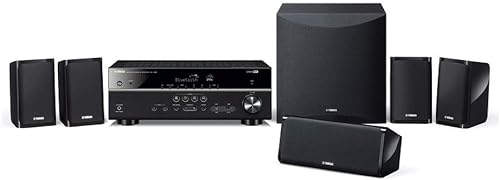
| Yamaha Audio YHT-4950U 4K Ultra HD 5.1-Channel Home Theater System | 5.1 | Check price on Amazon | Subwoofer, 11" W x 11" H x 13" D | 4 HDMI inputs | 28 Hz–25 kHz; YPAO room optimization |
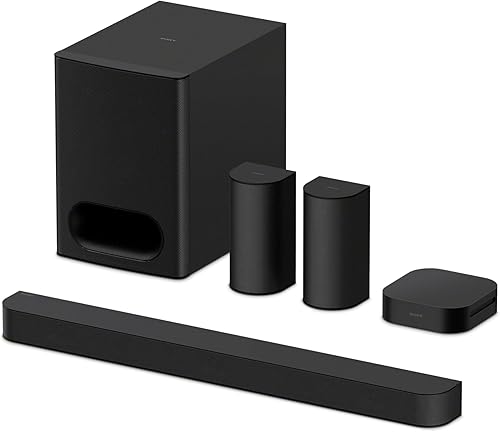
| Sony BRAVIA Theater System 6 5.1ch Soundbar | 5.1 | Check price on Amazon | Subwoofer included | Not stated | Dolby Atmos and DTS:X support; dedicated center channel |
When the fix is a new one
Sometimes the wiring is right and the placement is right and the system still can't do what you're asking. Check current listings and owner reviews yourself before committing to any of these — the details below come from manufacturer specs.
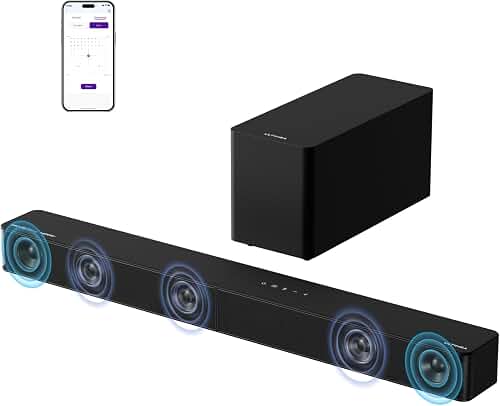
ULTIMEA 5.1CH Surround Sound Bar w/Dolby Atmos, for Home Theater — Atmos without rear speaker wiring
If the reason your setup stalled is that there's nowhere to put rear speakers, the ULTIMEA 5.1CH Surround Sound Bar w/Dolby Atmos, for Home Theater uses five built-in drivers including two side-firing ones to create width without rears. It connects over HDMI eARC for lossless Dolby Atmos, and its VoiceMX processing targets the dialogue-clarity problem specifically.
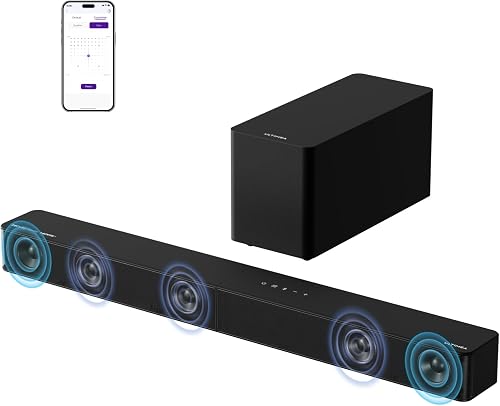
Saiyin Sound Bar with Subwoofer, Home Theater Surround System for TV PC — the low-cost first step
For a small room or a secondary TV where a full install isn't worth it, the Saiyin Sound Bar with Subwoofer, Home Theater Surround System for TV PC ships with the optical and 3.5mm cables in the box, plus mounting brackets and screws — so the "I'm missing a cable" delay doesn't happen.
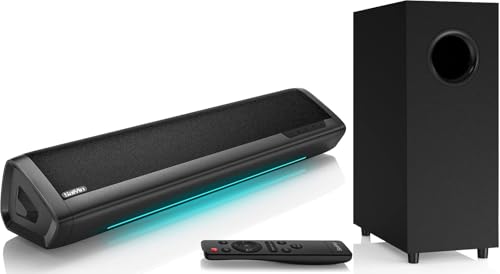
Rockville HTS56 1000W 5.1 Channel Home Theater System — discrete speakers, cables included
If you want five real satellites and an 8" sub rather than a bar, the Rockville HTS56 1000W 5.1 Channel Home Theater System includes speaker cables up to 30 ft, mounting kits and a setup manual, which matters when you're routing wire to the back of a room. It also has two mic inputs with echo control if karaoke is part of the plan.
LG S40TR 4.1 ch. Home Theater Soundbar — wireless rears, no receiver needed
The LG S40TR 4.1 ch. Home Theater Soundbar with Rear Surround Speakers and Wireless Subwoofer pairs wireless rear speakers and a wireless sub, so the only cable that crosses the room is power. On an LG TV, the WOW Interface lets the TV remote handle soundbar settings, which removes the two-remote annoyance entirely.
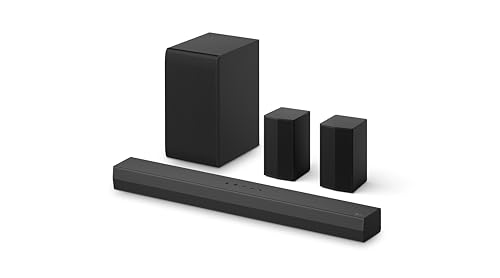
Yamaha Audio YHT-4950U 4K Ultra HD 5.1-Channel Home Theater System — a receiver-based build with calibration
If you want the flexibility to add sources and speakers later, the Yamaha Audio YHT-4950U 4K Ultra HD 5.1-Channel Home Theater System is a receiver plus five speakers, a subwoofer and speaker wire in one box, with four HDMI inputs so consoles and players plug into the receiver rather than the TV. YPAO room optimization handles the level-setting step for you.
Sony BRAVIA Theater System 6 5.1ch Soundbar — object audio with real rear boxes
The Sony BRAVIA Theater System 6 5.1ch Soundbar with Subwoofer & Rear Speakers supports both Dolby Atmos and DTS:X with three front-firing speakers, two rears and a sub, and a dedicated center channel for dialogue. Paired with a compatible BRAVIA TV, it can be driven from the TV menu.
FAQ
Do I need an AV receiver for a home theater system? No. A receiver gives you input switching, calibration and upgrade room, but soundbar-based systems with wireless rears deliver surround with no receiver in the chain. Choose a receiver if you have three or more sources to switch and expect to change speakers later.
Optical or HDMI — does it actually matter? Yes, for object-based formats. Optical has a hard bandwidth ceiling and can't carry Dolby Atmos or DTS:X. If your gear supports HDMI eARC, use it; optical is the fallback for older TVs.
How high should surround speakers be mounted? A couple of feet above seated ear height, slightly behind the listening position, angled down toward the seats. Too low and you can localize them; too far forward and they stop feeling like surrounds.
Why is dialogue so hard to hear compared to effects? Usually the center channel is too quiet relative to the fronts, or the source is a wide mix played back on a system with no dedicated center. Raise the center level first, then look for a voice-enhancement mode before touching anything else.
Related guides
- Top 10 Tips for Best home audio and home theater - bluetooth speakers, soundbars, AV receivers, turntables and record players
- Best home audio and home theater - bluetooth speakers, soundbars, AV receivers, turntables and record players for Small Business Owners
- Comparing Your Best home audio and home theater - bluetooth speakers, soundbars, AV receivers, turntables and record players Options
Key Takeaways
- Choosing the right how to set up home theater system means matching the key features to your specific needs and budget
- Read real customer reviews and check the return policy before you commit
- Compare value across models — the priciest option is not always the best fit