What goes wrong
| Symptom | Cause | Fix |
|---|---|---|
| Very quiet, thin, no bass | Phono-level signal into a line input | Switch the deck's preamp to LINE, use a PHONO input, or add an external preamp |
| Loud hum or buzz | Ground wire not connected, or deck too near a power supply | Attach ground wire to receiver ground screw; move the deck away from amps and routers |
| Platter won't spin | Belt not seated on the motor pulley | Remove platter, loop belt properly around the pulley |
| Skipping across the record | Tracking force too light, or unlevel surface | Rebalance the arm to spec; level the shelf |
| Sound only from one channel | Headshell not fully seated, or a loose RCA plug | Reseat headshell; reseat both RCA connectors |
| Music sounds slow or warbly | Wrong speed selected, or a stretched belt | Check 33 vs 45; replace an old belt |
| Distortion that worsens toward the label | Anti-skate misset or worn stylus | Match anti-skate to tracking force; replace stylus after roughly 1,000 hours |
| Sound wavers when you walk past | Acoustic feedback from speaker placement | Move the turntable off the same surface as the speakers |
Quick answer: Setting up a turntable takes about 20 minutes: level the surface, fit the platter and belt, mount the headshell, balance the tonearm and set anti-skate, then route the audio through a phono preamp — either the one built into the turntable or one in your receiver. If your deck is fully automatic with a preinstalled cartridge, you can skip the balancing entirely and be playing records in five minutes.
The single thing that trips up most beginners isn't assembly — it's the preamp. A turntable's output is roughly a thousand times quieter than a CD player's and needs a specific EQ curve applied. Plug it into a regular AUX input without a phono stage and you get thin, distant, bass-free sound. That's not a broken record player. That's physics.
Step-by-step setup
1. Find a level, solid surface. Not a wobbly IKEA shelf, not on top of a subwoofer. Vinyl playback is a needle physically riding in a groove; every vibration that reaches the plinth becomes audible rumble or, worse, a skip. Use a phone level app on the platter itself once it's on. Gotcha: placing the turntable directly next to or above your speakers creates an acoustic feedback loop that gets worse as you turn up the volume.
The best how to set up turntable for your situation depends on how you plan to use it and where.
2. Fit the platter and the belt. Belt-drive decks ship with the platter separate. Drop it on the center spindle, then reach through the cutouts in the platter and loop the rubber belt around the motor pulley. Gotcha: the belt must sit on the pulley, not under it or on the shoulder above it. A belt that's half-on will make the platter spin at the wrong speed or not at all. Direct-drive decks like the Audio-Technica AT-LP120XUSB-BK skip this step — the platter sits straight on the motor.
3. Attach the headshell and cartridge. Slide the headshell into the tonearm collar and turn the locking ring until it's snug. Then remove the plastic stylus guard — and remember you removed it, because people genuinely try to play records with the guard still on and conclude the deck is dead. Gotcha: never force the headshell. If it doesn't seat, the collar isn't aligned.
4. Balance the tonearm (manual decks only). Fit the counterweight on the rear stub. With anti-skate at zero and the stylus guard on, rotate the weight until the arm floats level and freely — neither diving nor rising. Now, without moving the weight itself, spin the numbered dial to zero. Then rotate the whole counterweight to your cartridge's recommended tracking force, usually around 2 grams. Gotcha: zeroing the dial is the step everyone forgets. Skip it and your tracking force number is meaningless.
5. Set anti-skate to match the tracking force. As the arm swings inward, it gets pulled toward the center. Anti-skate counteracts that. Setting it to the same number as your tracking force is correct in almost every case.
6. Sort out the phono stage. Three options, pick one:
- Turntable has a built-in switchable preamp set it to LINE and plug into any AUX input.
- Your receiver has a PHONO input set the turntable to PHONO and use that.
- Neither buy an external phono preamp.
7. Set speed, drop the needle, listen. 12-inch albums are 33-1/3 RPM. 7-inch singles are 45 and need the plastic adapter over the spindle. Use the cueing lever to lower the arm rather than dropping it by hand.
Spec and compatibility table
| Model | Drive | Speeds | Operation | Built-in preamp | Built-in speakers | Price |
|---|---|---|---|---|---|---|
| Audio-Technica AT-LP60X-BK | Belt | 33-1/3, 45 | Fully automatic | Not stated | No | Check price on Amazon |
| Audio-Technica AT-LP70X | Belt | 33-1/3, 45 | Fully automatic | Yes, switchable | No | Check price on Amazon |
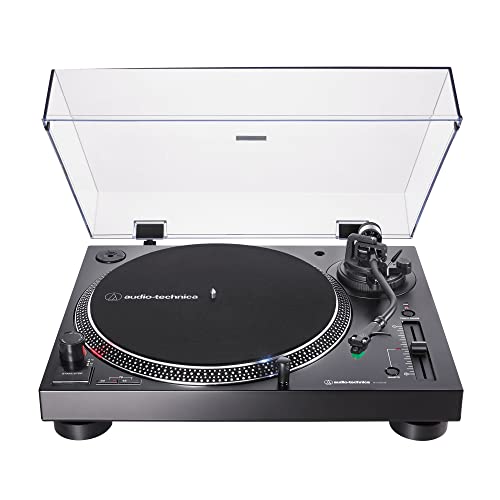
| Audio-Technica AT-LP120XUSB-BK | Direct | 33, 45, 78 | Fully manual | Not stated | No | Check price on Amazon |
| 1 BY ONE High Fidelity Belt Drive Turntable | Belt | 33, 45 | Not stated | Not stated | Yes | Check price on Amazon |
| cotsoco Vinyl Record Player Turntable | Belt | 33, 45, 78 | Not stated | Not stated | Yes (2 stereo) | Check price on Amazon |
| seasonlife Vinyl Record Player with Speakers | Belt | 33-1/3, 45, 78 | Not stated | Not stated | Yes | Check price on Amazon |
When the fix is a new one
Sometimes the setup problem is the deck. If you've inherited something with no counterweight, no anti-skate and a ceramic cartridge that gouges grooves, no amount of levelling saves it.
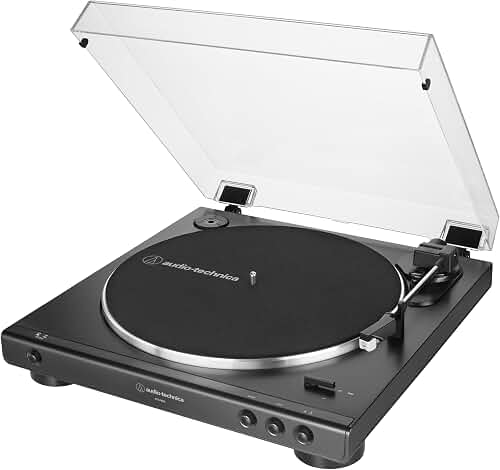
Audio-Technica AT-LP60X-BK Fully Automatic Belt-Drive Stereo Turntable, Black, Hi-Fi, 2 Speed, Dust Cover, Anti-Resonance, Die-Cast Aluminum Platter — removes the balancing step entirely
Fully automatic operation means the arm cues, plays and returns on its own, so tracking force and anti-skate are never something you touch. Its anti-resonance die-cast aluminium platter and external AC adapter address two of the noise sources described above. A sensible pick if steps 4 and 5 are what's putting you off. Audio-Technica AT-LP60X-BK Fully Automatic Belt-Drive Stereo Turntable
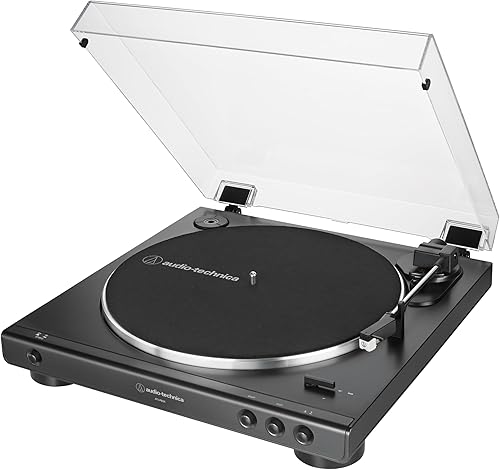
Audio-Technica AT-LP70X Automatic Turntable (Black/Bronze) — solves the preamp question outright
This one carries a switchable phono preamplifier, so it outputs either phono- or line-level and will work with any input you own. It's also fully automatic, with a J-shaped tonearm engineered to minimise tracking errors and an integrated AT-VM95C cartridge that accepts any VM95 Series replacement stylus later on. Audio-Technica AT-LP70X Automatic Turntable
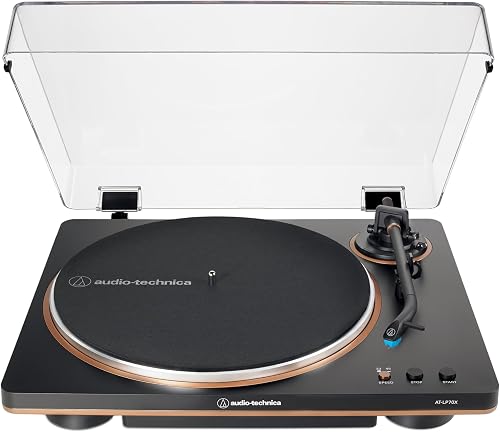
Audio-Technica AT-LP120XUSB-BK Direct-Drive Turntable (Analog & USB), Fully Manual, Hi-Fi, 3 Speed, Convert Vinyl to Digital, Anti-Skate and Variable Pitch Control, Black — for people who want the adjustments
Fully manual with adjustable dynamic anti-skate, variable pitch with quartz speed lock, and a hydraulically damped cue lever. Direct drive means no belt to seat or replace, 78 RPM is supported for older discs, and the USB output plus free Audacity software lets you digitise records. Audio-Technica AT-LP120XUSB-BK Direct-Drive Turntable
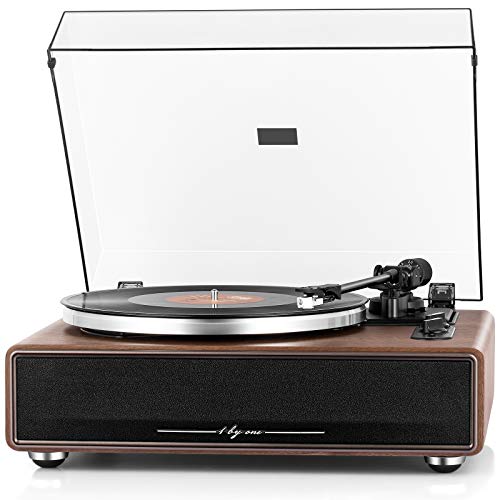
1 BY ONE High Fidelity Belt Drive Turntable with Built-in Speakers — one box, no separate system needed
Built-in speakers and amplifier mean there's no receiver to wire up, but it still includes an adjustable counterweight and a magnet-type cartridge with an Audio-Technica diamond-tipped stylus, so it isn't a toy. Bluetooth streaming and Aux-in cover non-vinyl sources. 1 BY ONE High Fidelity Belt Drive Turntable with Built-in Speakers
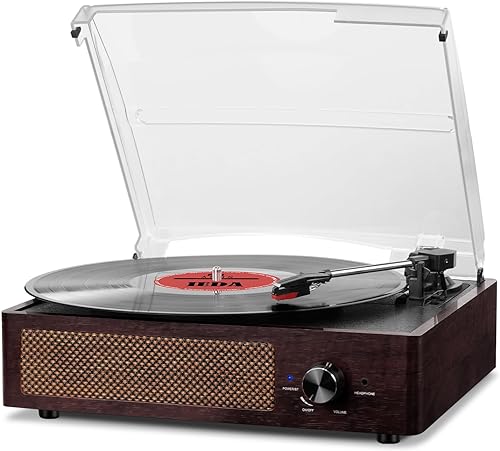
cotsoco Vinyl Record Player Turntable with Built-in Bluetooth Receiver & 2 Stereo Speakers — the lowest-effort starting point
Two built-in stereo speakers, Bluetooth in, AUX in, headphone jack and RCA line-out for external speakers later. Three speeds cover 7-, 10- and 12-inch records. The maker notes that 12-inch records should be tilted gently toward the tonearm when loading. cotsoco Vinyl Record Player Turntable with Built-in Bluetooth Receiver
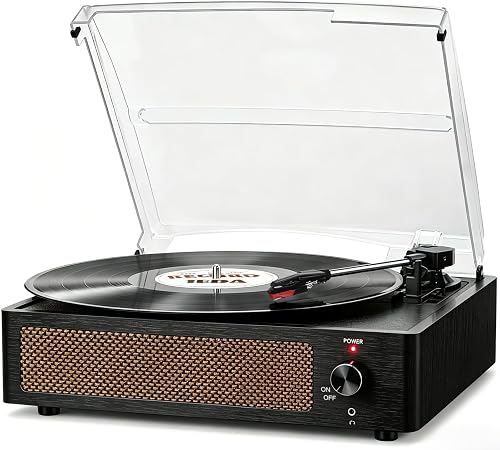
seasonlife Vinyl Record Player with Speakers — spring-damped base for shaky shelves
Its belt-driven design sits on a sprung base intended to absorb shock, which is the same problem levelling solves. Balanced tonearm with a lifting arm control, three speeds, three record sizes, plus headphone, AUX-in and RCA line-out to external powered speakers. seasonlife Vinyl Record Player with Speakers Vintage Turntable
Before buying any of these, go read the current owner reviews on the listing yourself — that's where you'll find out how a given unit is holding up right now.
FAQ
Do I need a phono preamp? Yes, always — the only question is where it lives. Some turntables have one built in and switchable (the AT-LP70X does). Some receivers have a PHONO input. All-in-one players with built-in speakers handle it internally. If none of those apply, you need an external one.
Why does my record sound quiet and thin? Almost certainly phono-level output going into a line-level input with no RIAA equalisation applied. It's the most common vinyl setup mistake there is, and it's a settings or cabling fix, not a fault.
How do I know what tracking force to use? Look up your cartridge model's specified range and set the counterweight dial to a value inside it — around 2 grams is typical. Too light causes skipping and groove damage; too heavy causes premature wear.
Can I just leave the dust cover down while playing? You can, but a hinged cover can pick up speaker vibration and pass it into the plinth. If you hear feedback at higher volumes, try playing with the cover raised or removed and see whether it clears.
Related guides
- Alternative Options for Best home audio and home theater - bluetooth speakers, soundbars, AV receivers, turntables and record players
- Best home audio and home theater - bluetooth speakers, soundbars, AV receivers, turntables and record players with Self-Employment
- Best home audio and home theater - bluetooth speakers, soundbars, AV receivers, turntables and record players with Limited History
Key Takeaways
- Choosing the right how to set up turntable means matching the key features to your specific needs and budget
- Read real customer reviews and check the return policy before you commit
- Compare value across models — the priciest option is not always the best fit