What goes wrong, and how to tell
| Failure | Symptom | Fix |
|---|---|---|
| Mic plugged into the wrong jack | Receiver reports "no mic detected" or refuses to start | Use the dedicated calibration/setup input, usually front panel, labeled SETUP MIC — not the AUX or headphone jack |
| Speaker wired out of phase | Hollow, weak center image; bass seems to vanish | Receiver often reports "phase error" — recheck +/− at both the speaker and the amp end |
| Sub crossover set on the sub and the receiver | Muddy, disconnected bass with a hole around 60–90 Hz | Max out the sub's own crossover dial or set it to LFE bypass |
| Mic too low or on a soft surface | Bright, harsh treble after calibration | Re-run at true ear height on a rigid stand |
| Auto-cal declares surrounds "None" | Rear effects missing entirely | Check connections and levels — most calibration mics document common error codes for exactly this failure |
| Calibration never redone after a room change | Dialogue drifts off-center, imaging feels smeared | Re-run any time speakers, seating, or major furniture moves |
Quick answer: Calibration is the process of telling your AV receiver where each speaker sits, how loud it plays, and where the bass hand-off happens — then verifying it by ear. Run your receiver's auto-calibration with the supplied measurement mic at ear height in the main seat, then manually fix the three things auto-cal routinely gets wrong: subwoofer level, crossover points, and speaker distances. Budget about 30 focused minutes and expect to redo it whenever you move a speaker or the couch.
Before you touch anything
Calibration measures the room as much as the speakers. If the physical setup is wrong, you're just teaching the receiver to be precisely wrong.
- Speakers wired in phase. Positive terminal to positive, negative to negative, every channel. One flipped surround kills the whole effect and auto-cal will not always flag it.
- Surrounds roughly at or slightly above ear height, beside or just behind the main seat — not aimed at the back of your head from six feet up.
- Subwoofer plugged in, gain knob at roughly 40–50%, crossover dial on the sub itself turned all the way up (or set to "LFE/bypass" if it has that switch). You want the receiver doing the crossover, not the sub doing it twice.
- Room in its normal state. Coffee table where it lives, curtains where they usually hang. Don't calibrate an empty room you'll never listen in.
- Find the mic. Most receivers shipped with one. If yours went missing in a move, a replacement is a $10–30 part, not a reason to skip calibration.
The calibration run, step by step
1. Position the mic where your head goes. Ear height, main listening seat, pointed straight up at the ceiling unless your manual says otherwise. Use a tripod or a mic stand — not a cushion, not the top of the sofa back. A mic sunk into upholstery reads a muffled, absorbed version of the room and the receiver will crank treble to compensate.
Finding the right how to calibrate surround sound speakers comes down to matching the features to how you will actually use it.
Gotcha: Holding the mic in your hand is the single most common mistake. Your body is a large absorptive object sitting right next to the sensor.
2. Silence the room. Close windows, kill the HVAC, put the dog outside. Auto-cal measures noise floor first; a running AC unit shifts every reading that follows.
3. Start the routine and leave. Go stand behind the mic or step out of the room entirely. The test sweeps are loud and unpleasant — that's normal, they need headroom above the noise floor to be accurate.
Gotcha: Don't stop it partway to check on things. Most receivers discard a partial run.
4. Run the extra positions if offered. Systems that ask for multiple mic positions genuinely benefit from them. Space them roughly a foot apart around the main seat and out to the other seats you actually use. Skipping straight to "one position only" gives you a result that's razor-sharp in one spot and mediocre everywhere else.
5. Read the results screen before accepting. It will list detected speakers, distances, levels, and crossovers. This is where you catch errors — a surround reported as "None," a center listed at 30 feet, a sub at −12 dB.
6. Save, then adjust manually. Save the calibration to a preset first so you can always return to it. Then fix the known weak spots:
- Crossovers: Set anything the receiver called "Large" to "Small" with an 80 Hz crossover unless you have genuinely full-range towers. Small satellites want 100–120 Hz.
- Subwoofer level: Many auto-cal routines set the sub flat, which sounds thin on movies. Nudge it up 2–3 dB and live with it for a week.
- Distances: Sanity-check against a tape measure. These set delay timing, and a wildly wrong number smears the soundstage.
Spec and compatibility table
| Product | Connection | Stated compatibility | Notable spec | Price |
|---|---|---|---|---|
| Deskbloom 3.5mm Audio Calibration Measurement Microphone for AV Receiver Home Theater Systems, Precise Speaker Level Adjustment | 3.5mm | ~150 receiver models; laptops and desktops | ABS housing, compact black design | Check price on Amazon |
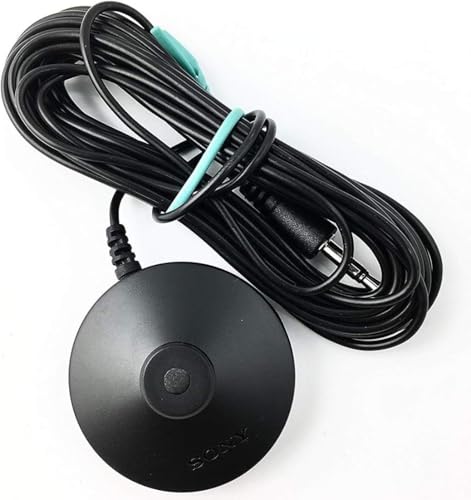
| New Sony Calibration Mic Measurement Microphone ECM-AC2 | Auxiliary | Most Sony receivers, ~150 models listed | Genuine Sony ECM-AC2 part | Check price on Amazon |
| Calibration Mic for Audio Video Receiver Home Theater Systems, 3.5mm Measurement Microphone for Speaker Output Level Calibration, Compatible with 150+ Receiver Models Black | 3.5mm | 150+ receiver models | Not stated | Check price on Amazon |
| Superlux ECM999U USB Measurement Microphone Set | USB-C | Windows 10/11, Mac | 10Hz–20kHz, 24-bit/48kHz, 133dB max SPL, 1/4" capsule | Check price on Amazon |
| Calibration Microphone for Audio Tuning, Desktop Mic for Home Theater Receiver Setup | 3.5mm (0.1" connector) | Many AV receivers, laptops, desktops | Lightweight ABS housing | Check price on Amazon |
When the fix is a new one
If your mic is lost, damaged, or you've outgrown what auto-cal can tell you, here's what each option actually changes. Check current listings and owner reviews yourself before buying — compatibility lists are the thing to verify against your exact receiver model.
New Sony Calibration Mic Measurement Microphone ECM-AC2 — the OEM route for Sony receivers
If you own a Sony AVR and the original mic walked off, this is the genuine ECM-AC2 part, cross-referenced against several Sony part numbers. The listing includes a chart of common auto-calibration error codes and notes that failures usually trace back to improperly connected front/surround speakers or the mic itself — useful diagnostic context when a run won't complete. New Sony Calibration Mic Measurement Microphone ECM-AC2 Part Number 154277421 1-542-670-21 154271011 1-542-710-11 154267021 1-542-774-21, Auxiliary is priced at $29.89.
Superlux ECM999U USB Measurement Microphone Set — for going past what auto-cal shows you
This is a different class of tool: a USB-C omni free-field condenser that plugs straight into a Windows or Mac machine with no interface or phantom power, running 24-bit/48kHz with a 10Hz–20kHz response and 133dB max SPL. That means you can run your own room sweeps and actually see the frequency response your auto-cal is reacting to — the step beyond trusting the receiver's summary screen. The set includes a mic clip, table stand, windscreen, and a 2-meter USB cable. Superlux ECM999U USB Measurement Microphone Set, Omni Free-Field Condenser Mic for Room Acoustic Analysis, Speaker Testing, Measurement & Recording, USB-C Plug-and-Play, 24-Bit/48kHz, Win/Mac is $79.99.
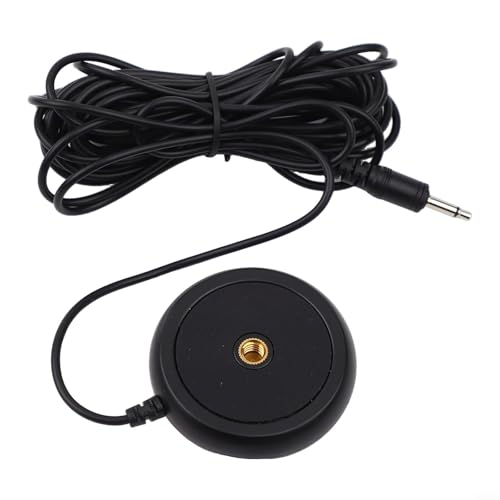
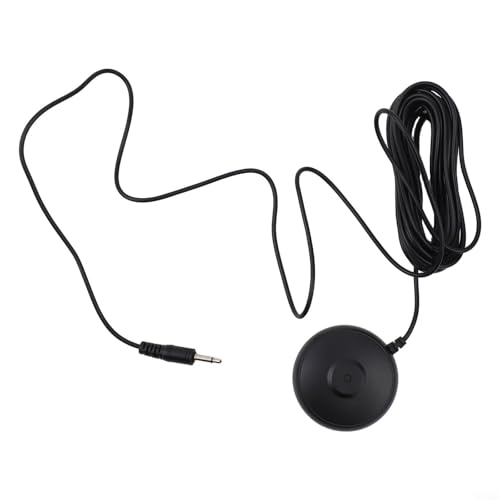
Deskbloom 3.5mm Audio Calibration Measurement Microphone — a low-cost 3.5mm replacement
A basic 3.5mm measurement mic in an ABS housing, listed as working with roughly 150 receiver models plus laptops and desktops. Setup is plug-into-the-calibration-port-and-follow-prompts. At this price it's a reasonable stopgap when the factory mic is gone. Deskbloom 3.5mm Audio Calibration Measurement Microphone for AV Receiver Home Theater Systems, Precise Speaker Level Adjustment is $10.89.
Calibration Mic for Audio Video Receiver Home Theater Systems — the cheapest 3.5mm option here
Same general idea, listed for 150+ receiver models with an emphasis on quick connection and no technical hurdles. Calibration Mic for Audio Video Receiver Home Theater Systems, 3.5mm Measurement Microphone for Speaker Output Level Calibration, Compatible with 150+ Receiver Models Black sits at $9.83.
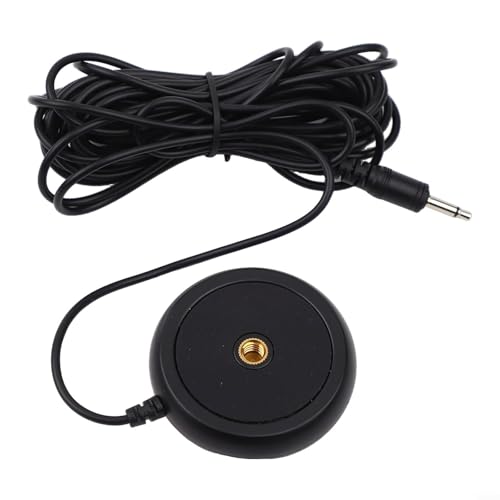
Calibration Microphone for Audio Tuning — a desktop-oriented 3.5mm mic
Uses a 0.1" (3.5mm) connector and is described as compatible with many AV receivers, laptops, and desktop computers, with a lightweight ABS body meant to live on a desk between sessions. Calibration Microphone for Audio Tuning, Desktop Mic for Home Theater Receiver Setup, Precise Speaker Level Tool for Laptop & PC, 0.1" Connector is $10.64.
FAQ
How often should I recalibrate? Whenever the room changes meaningfully — speakers moved, seating rearranged, a rug added, a new sub. Otherwise once a year is plenty. Calibration doesn't drift on its own.
Will a third-party mic work as well as the one that came with my receiver? Auto-calibration systems assume a known microphone response. A generic replacement gets you back to functional, but if your receiver's routine was designed around a specific mic, the OEM part is the safer match. Always confirm your model appears on the seller's compatibility list first.
Can I skip auto-calibration and just set everything manually? You can set levels and distances by hand with an SPL meter and a tape measure, and plenty of people prefer that. What you can't easily replicate manually is room-correction EQ, which needs a measured sweep.
Why does my system sound worse after calibration? Usually one of three things: the mic was in a bad position, the sub level got set flatter than you're used to, or room correction is fighting a genuine acoustic problem it can't fix electronically. Re-run with the mic properly placed, then try toggling room correction off to compare.
Related guides
- Step-by-Step Best home audio and home theater - bluetooth speakers, soundbars, AV receivers, turntables and record players Process
- How to Succeed with Best home audio and home theater - bluetooth speakers, soundbars, AV receivers, turntables and record players
- How to Set Up a Home Theater System, Step by Step
Key Takeaways
- Choosing the right how to calibrate surround sound speakers means matching the key features to your specific needs and budget
- Read real customer reviews and check the return policy before you commit
- Compare value across models — the priciest option is not always the best fit